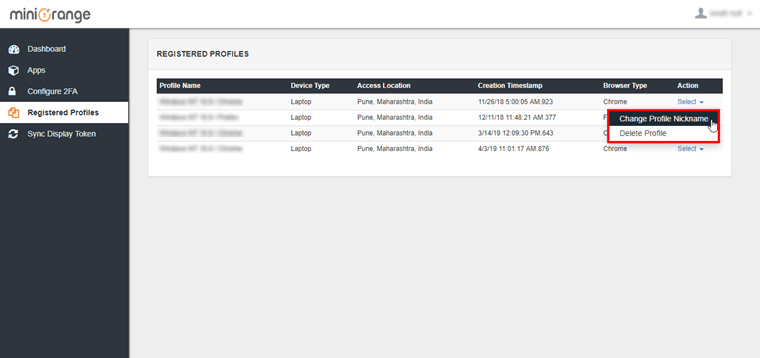
I want to manage the trusted device which I have store during login by remembering device, how do I do that?
244 views
0
-
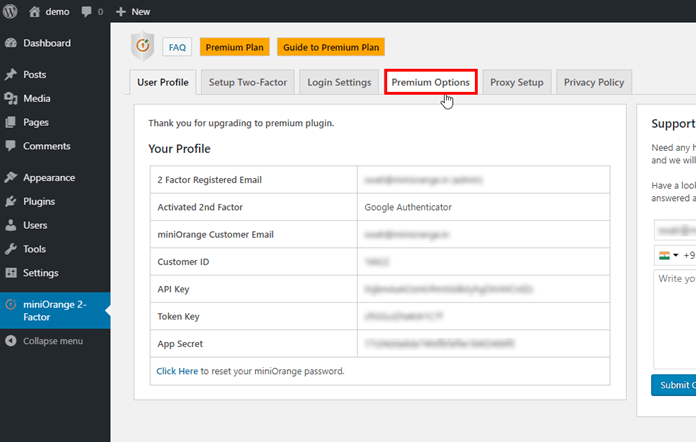
- Go to the miniOrange 2-Factor tab Click on the Premium Options tab.
-
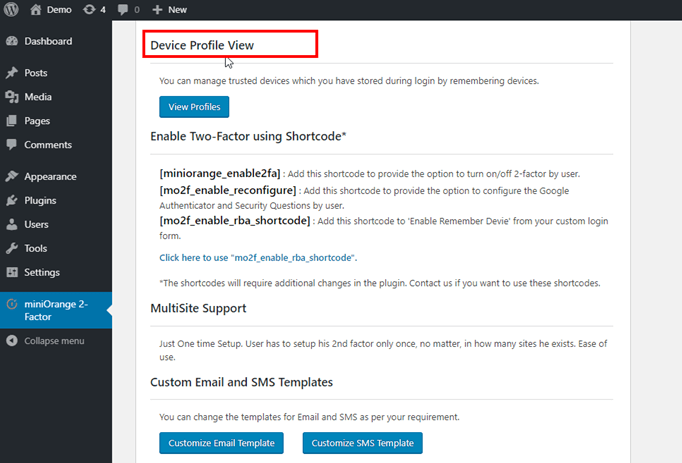
- Search Device Profile View feature in the Premium Options tab.
-
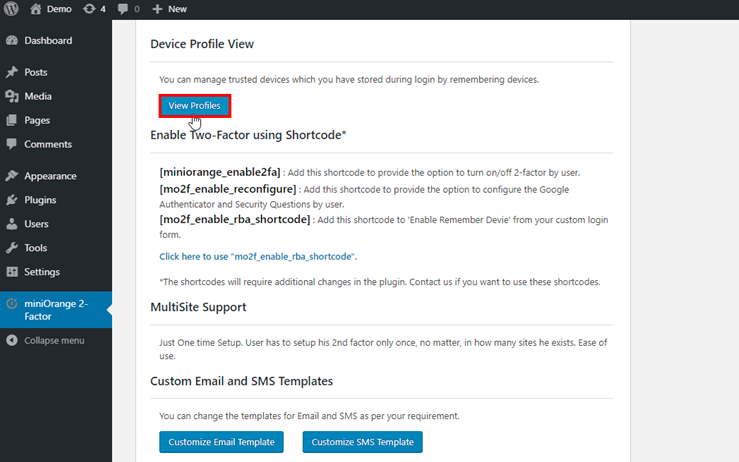
- Then click on View Profiles button, it will redirect to miniOrange console enter your credentials to get the login.
- Now, you get a list of the trusted device which you have stored during login by remembering device. Click on Select dropdown and manage your devices.