- Log into miniOrange admin dashboard using your miniOrange credentials.
- Go to Groups > Manage Groups from the left menu and click on Create Group on the top right corner of the page.
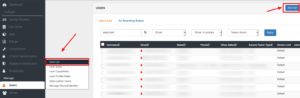
- You can add a Single Group or Bulk Upload user groups.
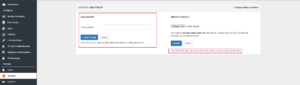
- Click on Assign Users to assign users to groups.
