How to log in to a third-party application with Google?
201 views 0
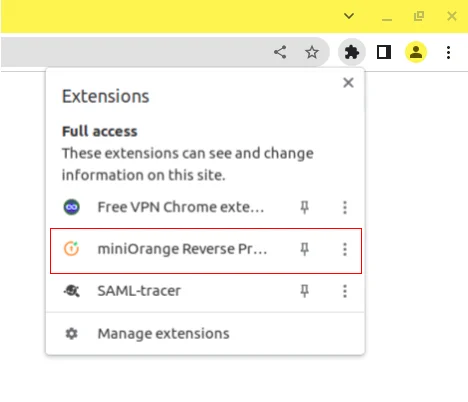
Click on the extension button in the top right corner as shown below in the image.
It will open a pop-up over there click on miniOrange Reverse Proxy as shown below:
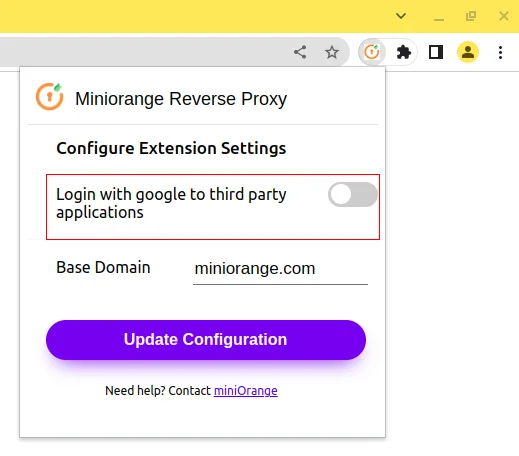
It will open the extension configuration as shown below.
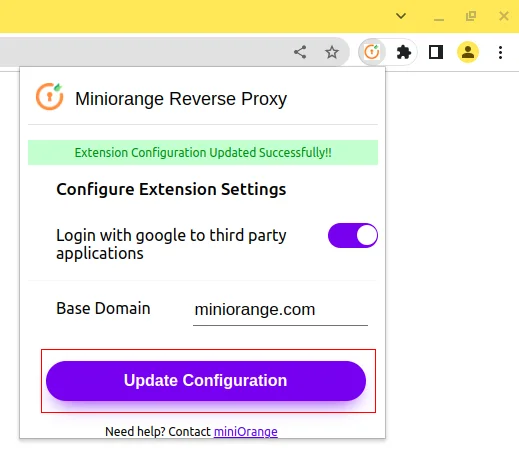
Enable the toggle and click on the Update Configuration button.
Now go to any third-party application you want to do Single Sign On with Google and click on login with Google.
After the process of signing in to third-party applications using Google, disable the Login With Google button in the extension configuration and click on Update Configuration.