How to lock a Shopify Store based on a user’s email subscription status?
85 views 0
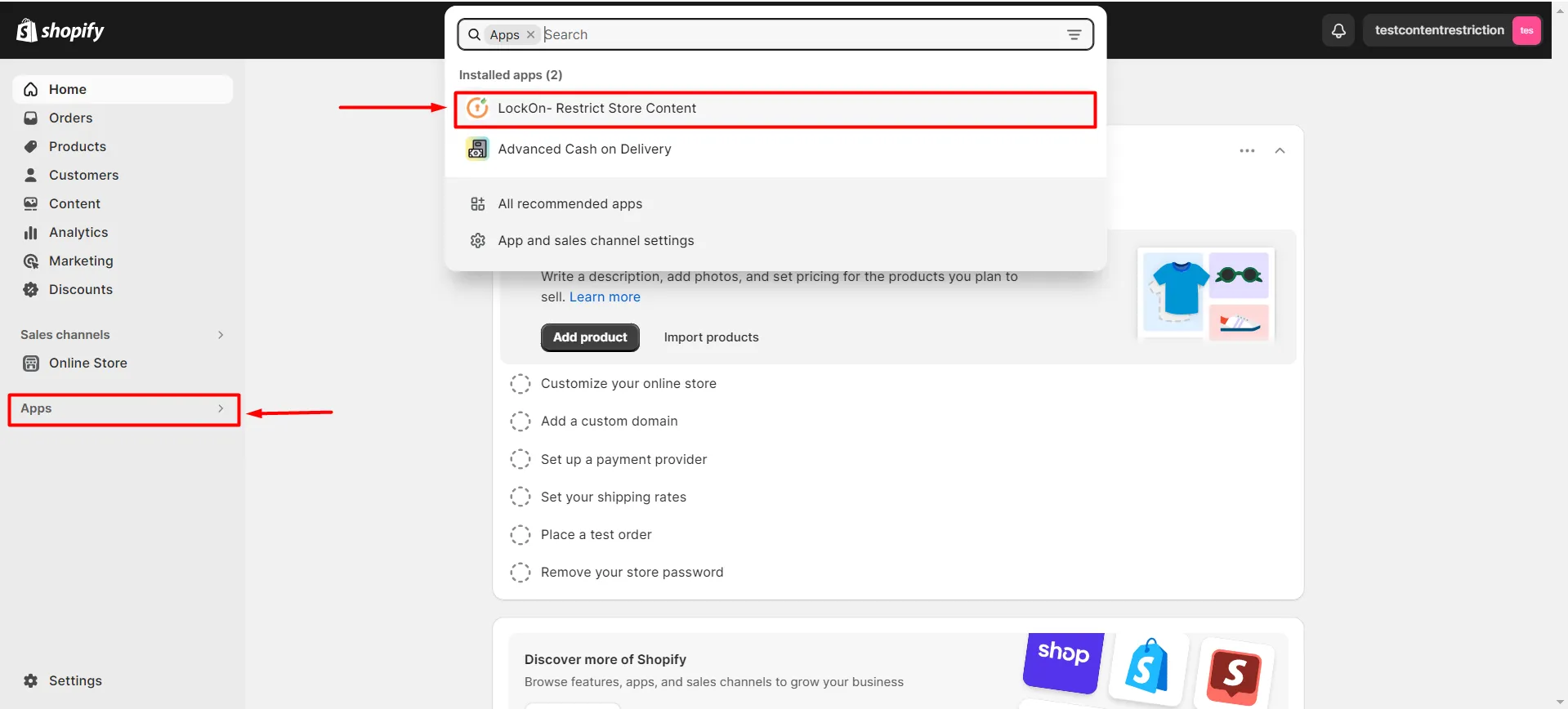
Navigate to Apps >> LockOn – Restrict Store Content application.
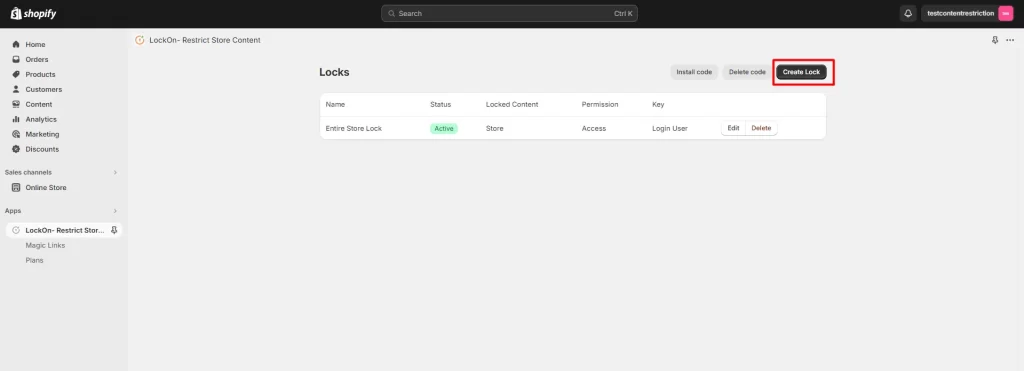
Click on the Create Lock button.
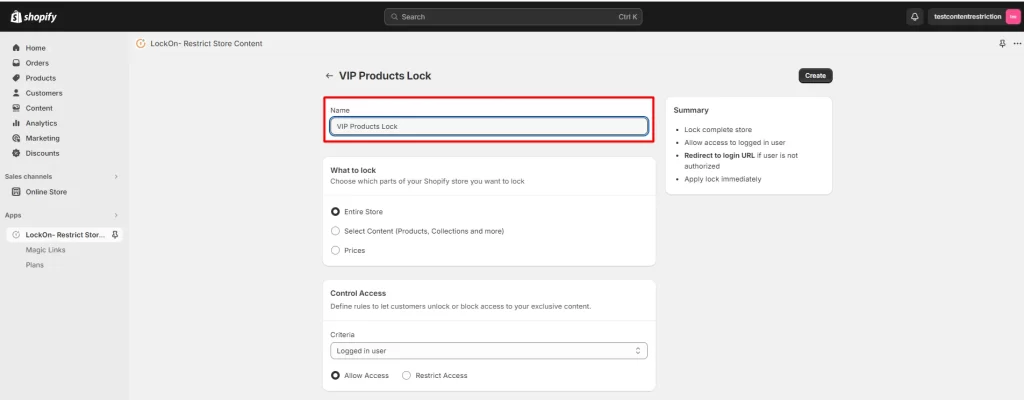
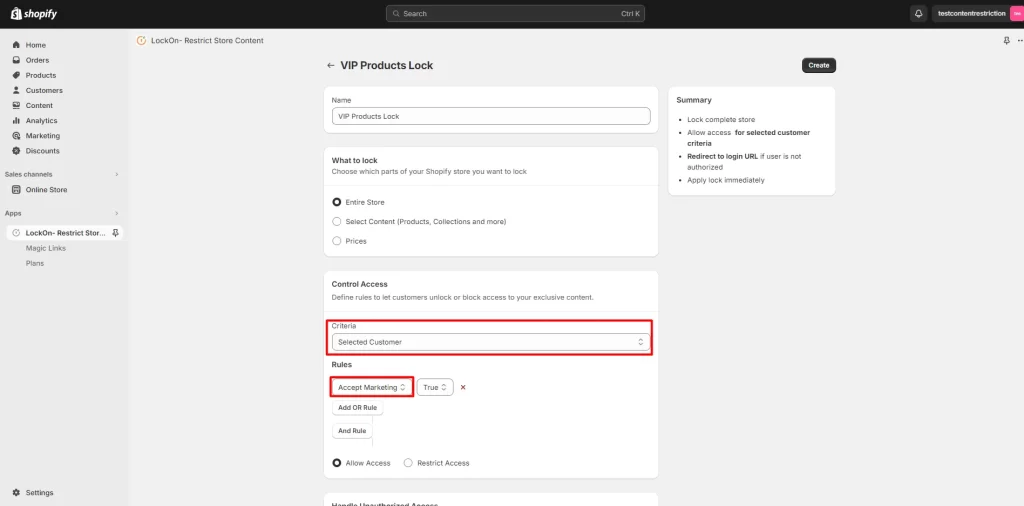
Enter the name you’d like to give your lock in the Lock Name input box.
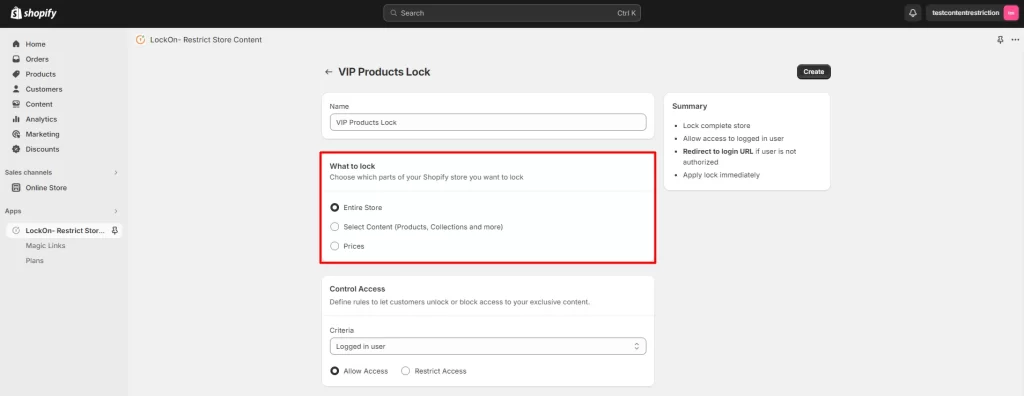
Choose the Shopify Store Content that you want to lock.
Select the Lock Criteria as the Selected Customer and select the filter as Accept Marketing. Select the Lock Type as Allow Access to Restrict access to the selected content.
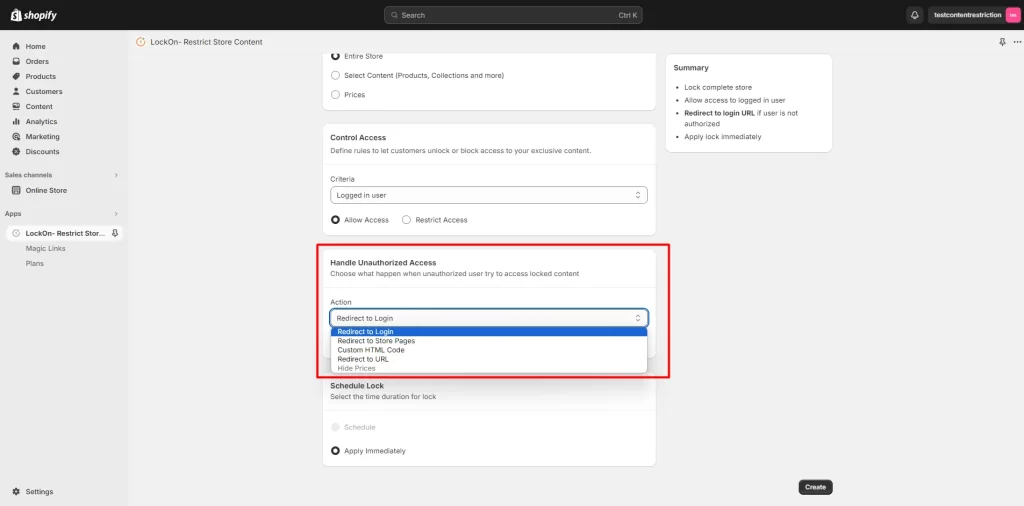
Navigate to the Handle Unauthorized Access option and select where you want to redirect the restricted users.