If you’re looking to hide the Add to Cart/Buy Now option from certain users on your Shopify store, then you can use our LockOn application. You can add a lock on the “Add to Cart” button in our application. Here are the steps you need to follow:
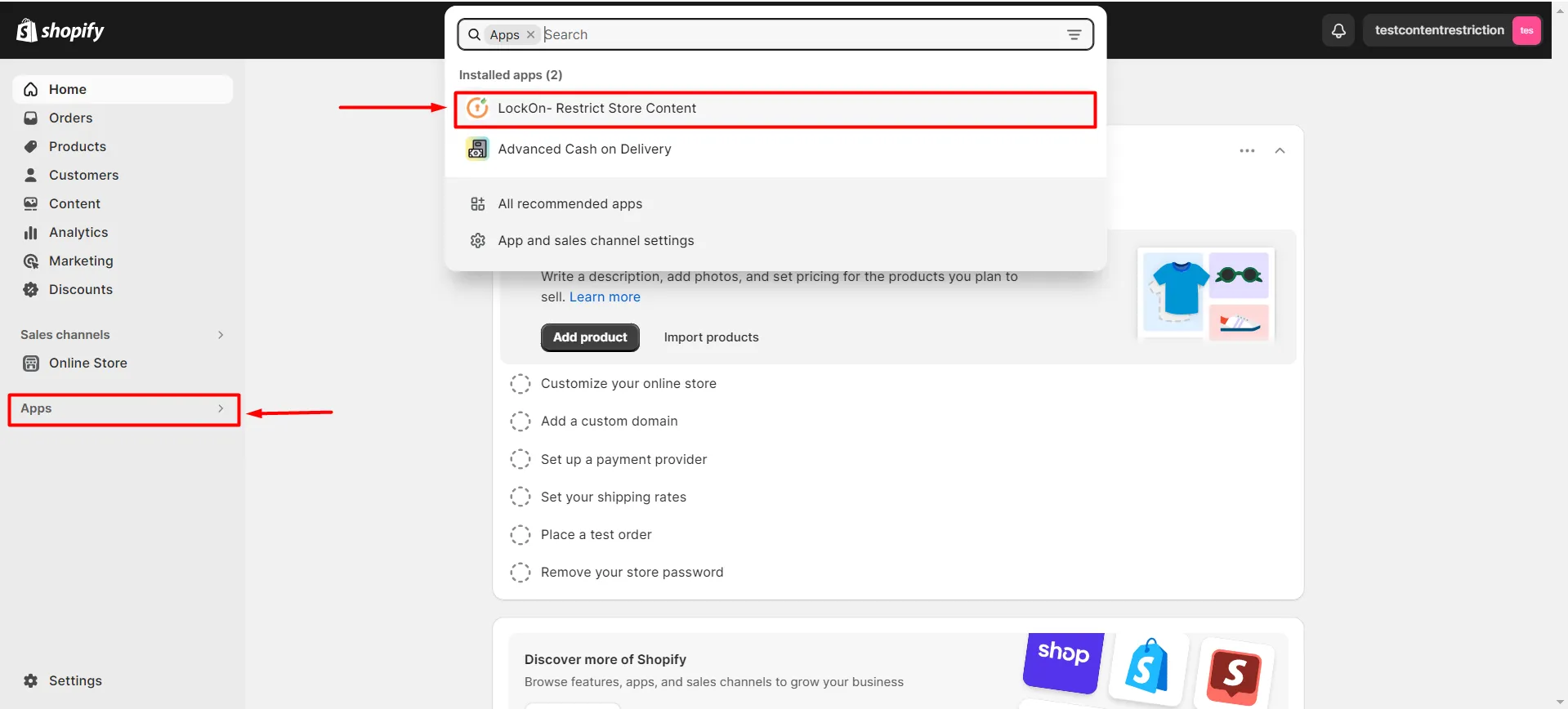
- Navigate to Apps >> LockOn – Restrict Store Content application.
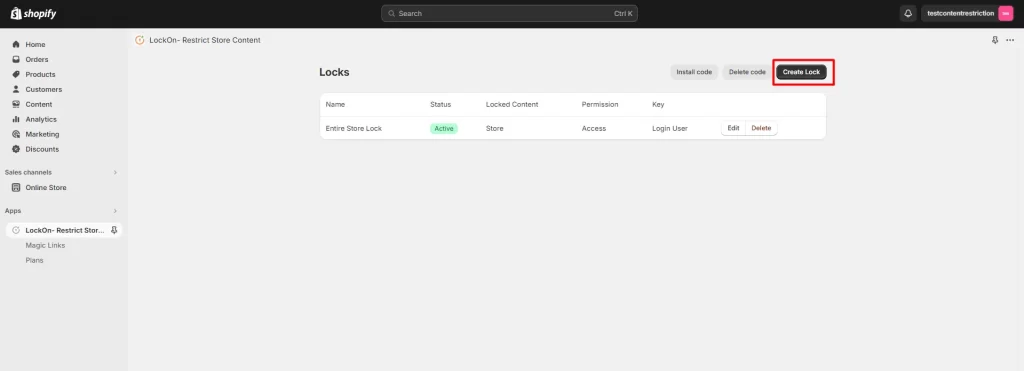
- Click on the Create Lock button.
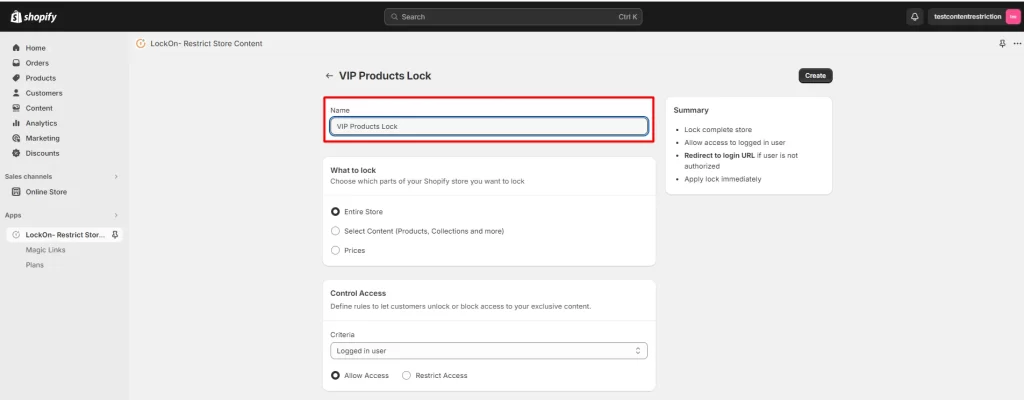
- Enter the name you’d like to give your lock in the Lock Name input box.
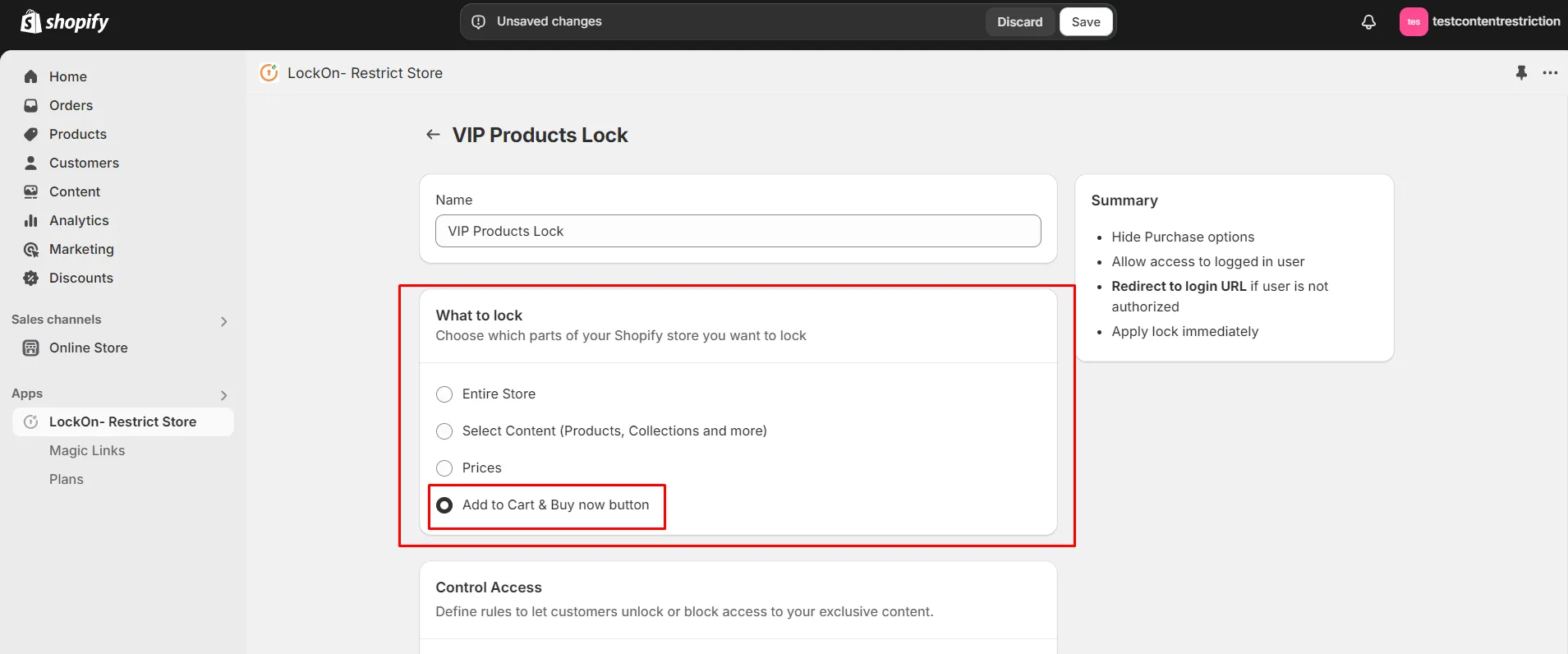
- Choose the content to lock as Add to Cart & Buy Now button.
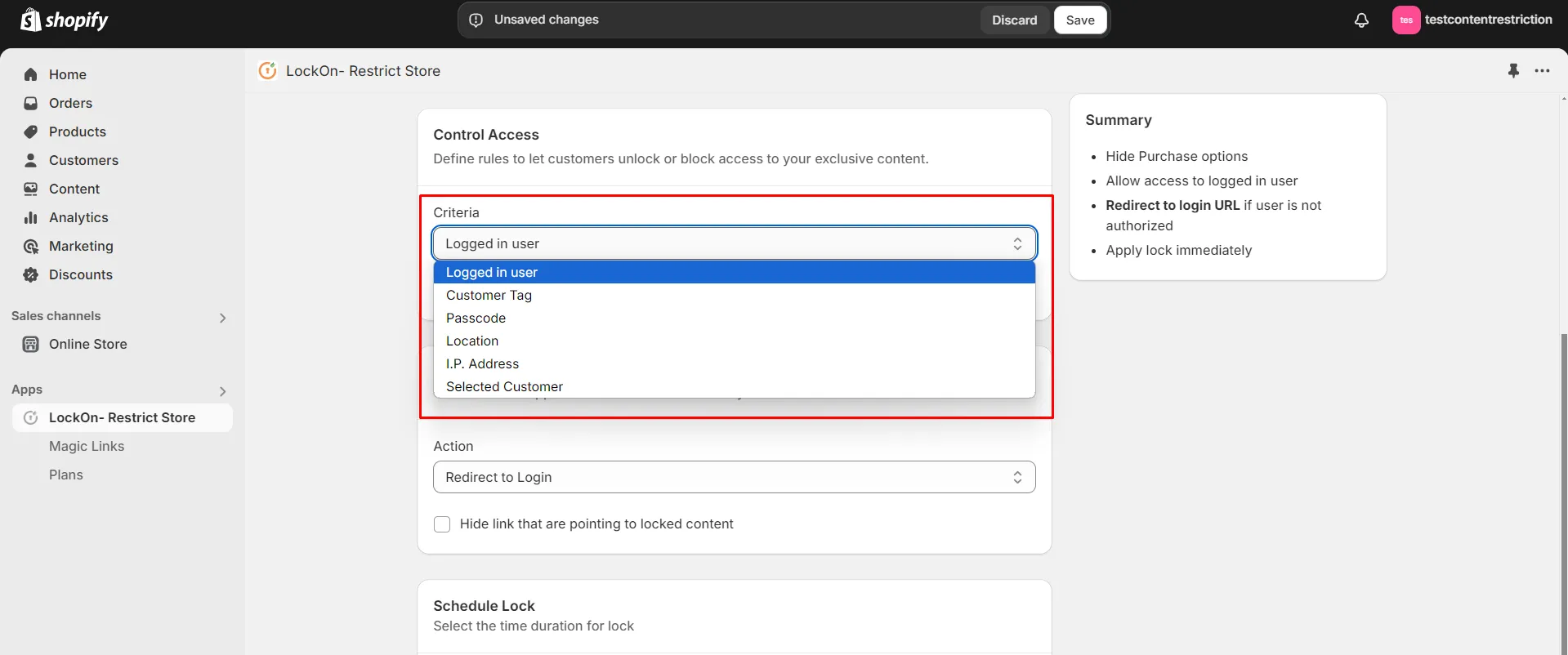
- Navigate to the Control Access section and select the criteria based on which you will hide the Add to Cart button from certain users.
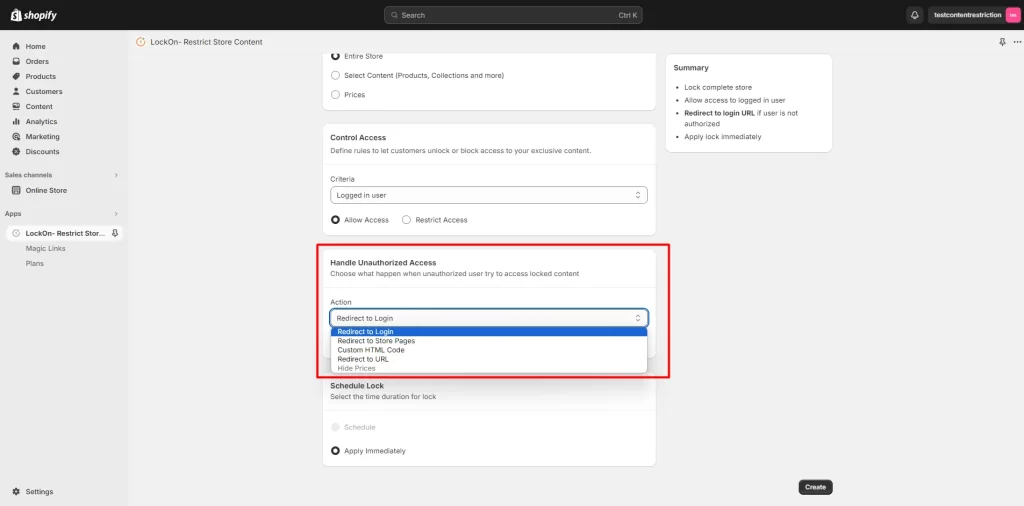
- Navigate to the Handle Unauthorized Access option and select where you want to redirect the restricted users.
- Click on Create.
Hence, you’ve completed the configurations for hiding/locking the Add to Cart button from your Shopify Store.