I want to allow user to login through external applications, how do I do that?
326 views
1
-
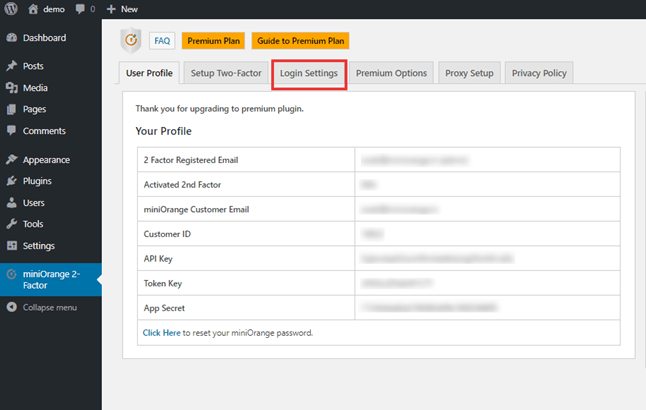
- Go to the miniOrange 2-Factor tab Click on the Login Settings tab.
-
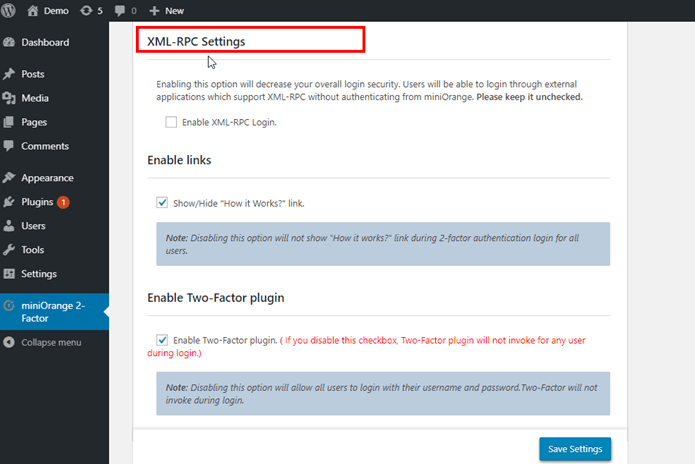
- In the Login setting tab, you get Option for the XML-RPC Settings feature.
-
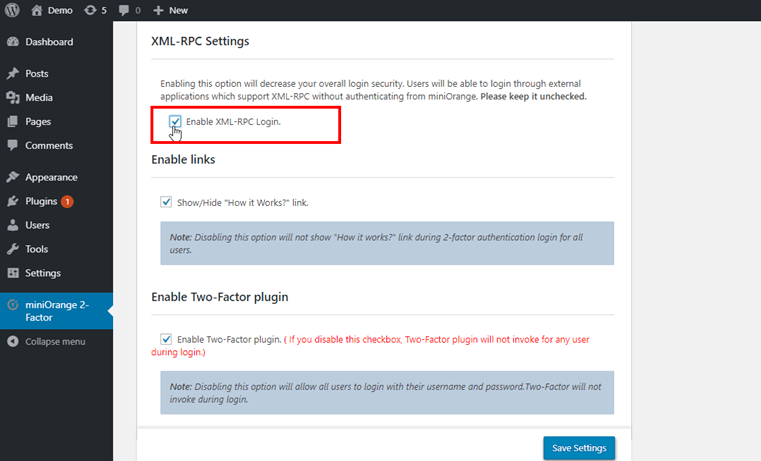
- Now enable the checkbox of the XML-RCP Settings feature.
-
- Click on save settings.
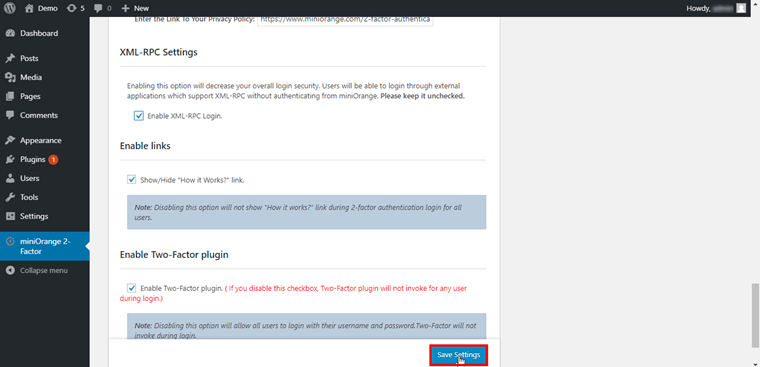
-
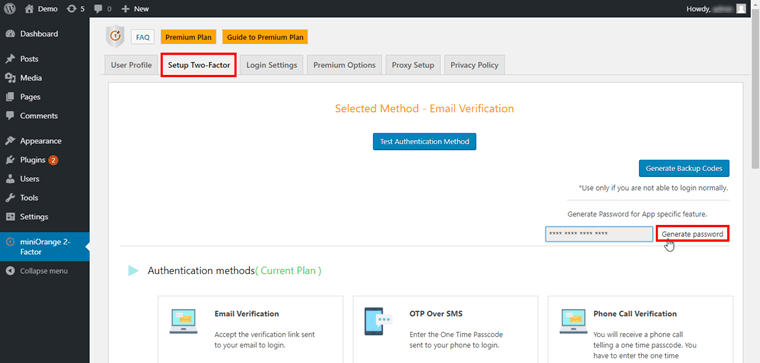
- Now go to Setup Two Factor Tab and click on Generate password.
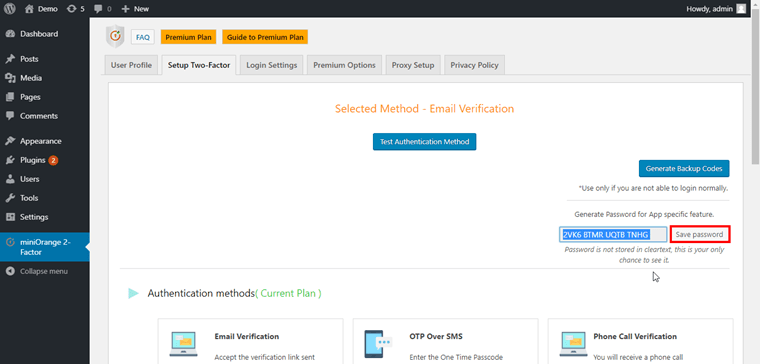
- Copy the Password and click on Save password.
[User Experience]
- Download the WordPress application from Playstore.
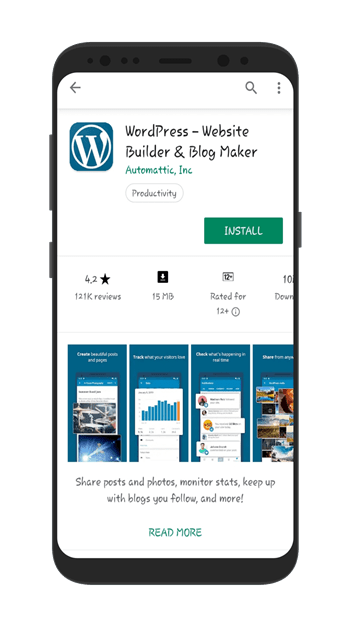
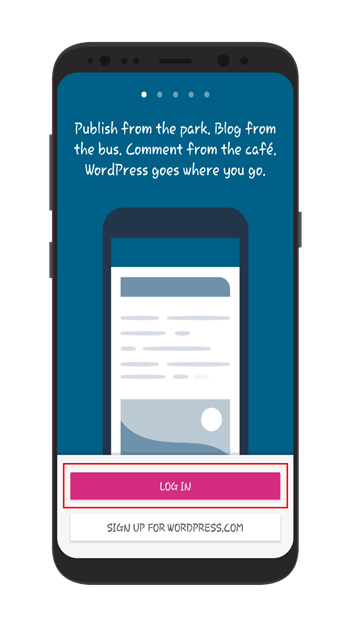
- Then click on login option.
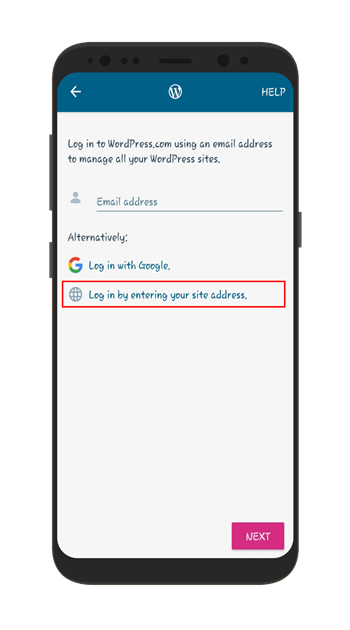
- Now click on login by entering your site address option.<
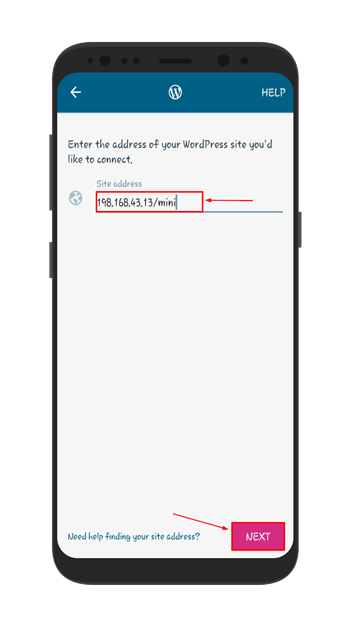
- Then enter the Site address here.
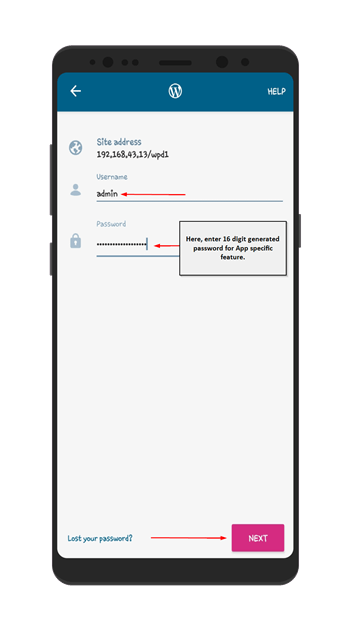
- After that enter Username and 16 digits generated Password for App-specific feature of the site address and click on Next.
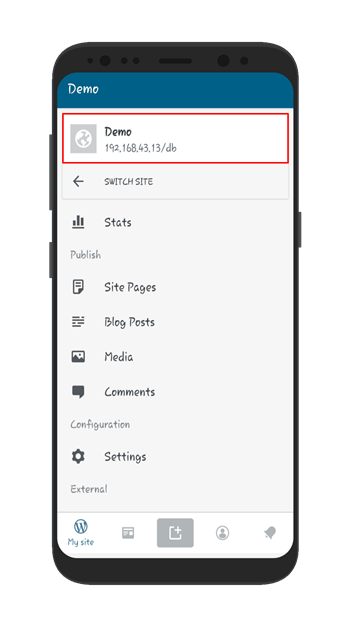
- Now you can see in the image below, you can successfully get logged in to your site by third-party application.