The 2FA app provides ways to enable 2FA for a particular set of users and a group of users.
Consider if you want to allow 2FA only for users belonging to the jira-software-users group, then you can do this using the steps below:
- Navigate to User Management tab
- Select 2FA for Groups section
- Search for the “jira-software-users” group
- Click on Enable 2FA link against jira-software-users group.
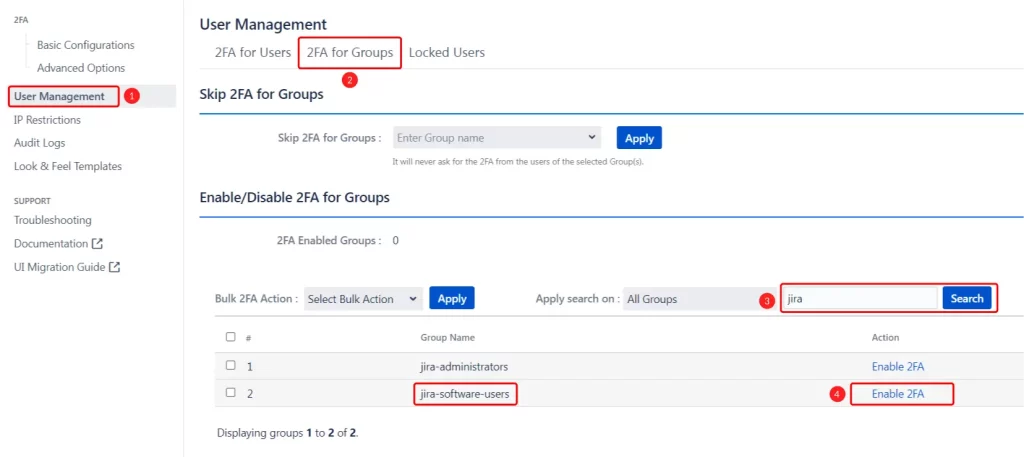
Now, 2FA is enabled for all users who belong to jira-software-users group.
Note:- Once you have enabled 2FA for jira-software users group, the app will turn on 2FA for existing users belonging to this group as well as newly created users who get added to this group.